Add Equations
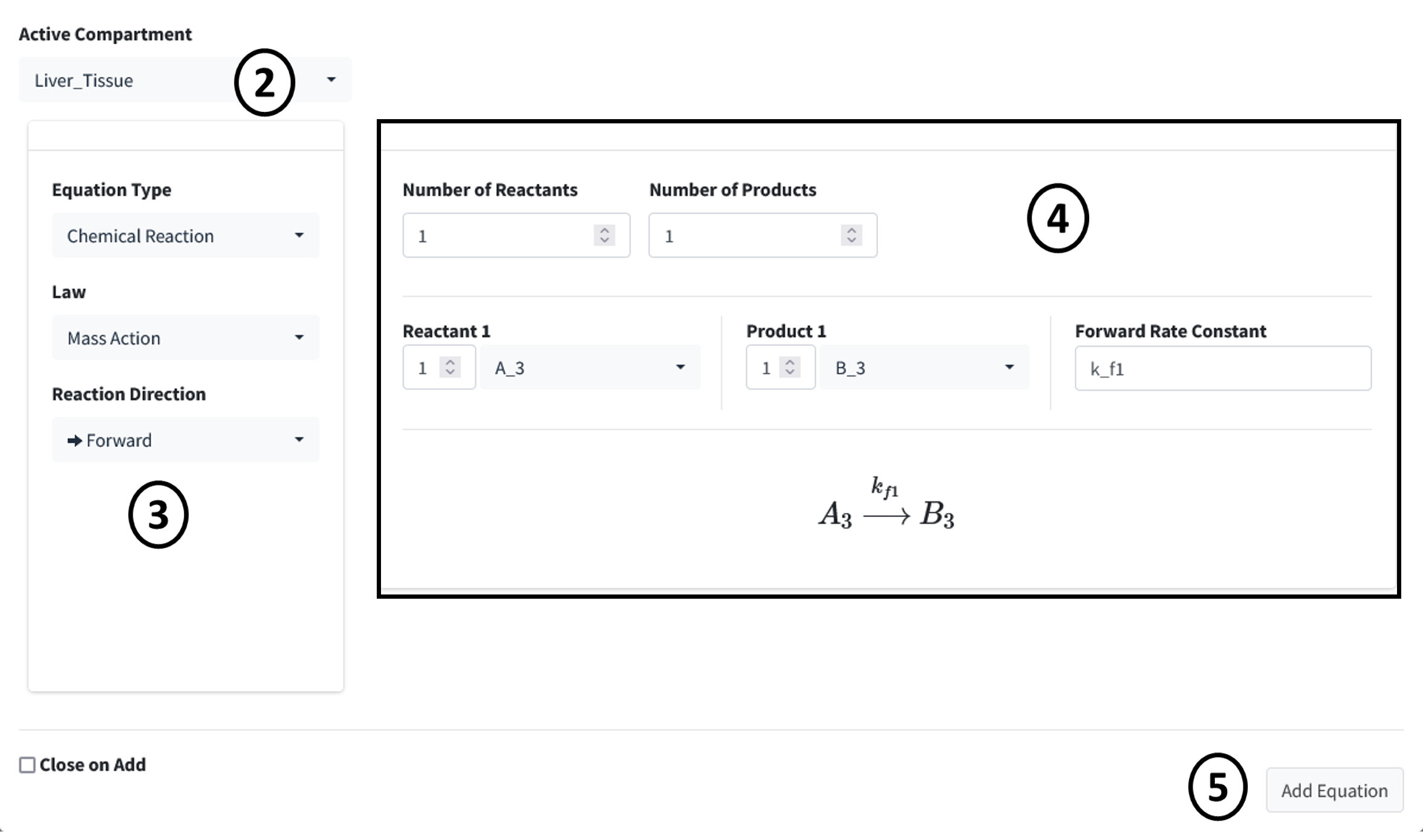
This tutorial model has only one reaction: the conversion of A to B (A3 & B3) in the liver tissue.

Steps:
Scroll down to the Reactions box in the Create Model tab. Press the addition button below the equation table.
Change the Active Compartment to “Liver_Tissue”.
Make sure Mass Action is selected as the Law for this reaction. Change the Reaction Direction to “Forward” for this is a one way reaction.
This reaction has one reactant and one product. Make sure Reactant 1 is A_3 and Product 1 is B_3. Make the Forward Rate Constant to k_f1, if not already. You can set the parameter value here or later on the parameter table. For this tutorial most values will be set on the parameter table.
Press the Add Equation button.