Differential Equations
Navigate to the final box “Differential Equations”.
This tab is used to generate and see the mathematical equations that govern our model. This tab will begin with all species being equal to “0” and gets auto-generated based on reactions added. The “Generate” button will refresh the equations, if for any reason they need to be refreshed.
Press the “Generate” button to solve the system for its differential equation output and display them in text form.
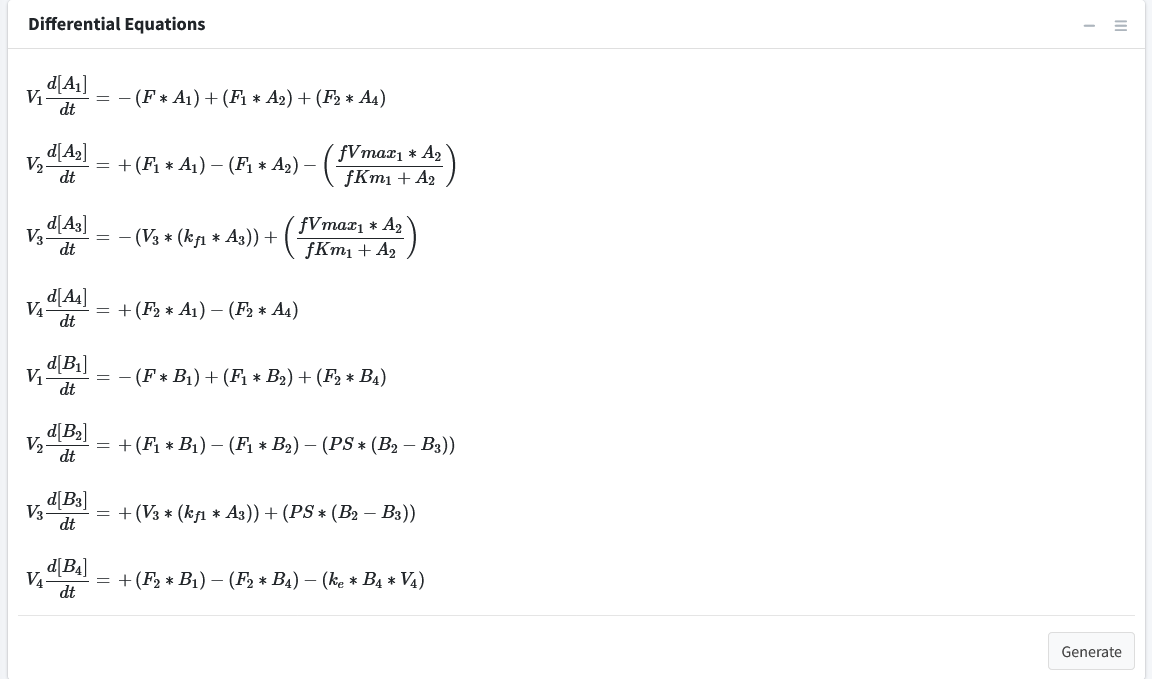
Note: The right sidebar of the “System of Differential Equations” box has an option for viewing the differential equations including turning off the math rendering and showing each derivation line as a newline for each differential equation.